Tags describe the subject
Use tags or prose for visible requirements such as clothing, pose, framing, and setting. If two descriptions conflict, making the prompt longer may make the intention less clear. Put the important requirements first.
NovelAI gives illustrators several ways to steer a picture: tags, image references, and local edits. Use each for a different problem instead of adding more words to every prompt.
Generator powered by Froging AI · Independent of NovelAI
Sign up to create your first image free with Nano Banana 2 Lite.
Image Preview
Your generated images will appear here.
Explore NovelAI
NovelAI’s image tools are often used for anime and character illustration. Tags and prose describe what should appear; image references add visual information; inpainting targets a selected part of a result. These are different kinds of control. Knowing which problem you are trying to fix is more useful than turning every setting up.
Use tags or prose for visible requirements such as clothing, pose, framing, and setting. If two descriptions conflict, making the prompt longer may make the intention less clear. Put the important requirements first.
A reference can carry palette or stylistic information that is awkward to describe in words. Its influence is adjustable. Too much influence can pull in details you did not intend, so a style reference should not be treated as a promise of exact character identity.
If the composition works but one area does not, an edit to that region may be more appropriate than replacing the entire image. Check the boundary of the edit as well as its center; a better detail still needs to belong to the surrounding picture.
Write down concrete traits: hair shape, costume, palette, and identifying accessories. “The same character” is a goal, but it does not explain which details make that character recognizable.
A reference may be useful when the color and rendering style are the priority. Separate that goal from preserving a specific face or pose, which asks for a different kind of consistency.
Revisit the prompt and framing. Local repair is a poor place to start if the composition does not match the intended illustration.
Consider whether a reference would communicate the desired palette or rendering more clearly. Keep the subject description stable while exploring that influence.
Use a focused edit where the tool supports it. Compare the repaired region with its surroundings for scale, light, and line treatment.
Made with Froging AI
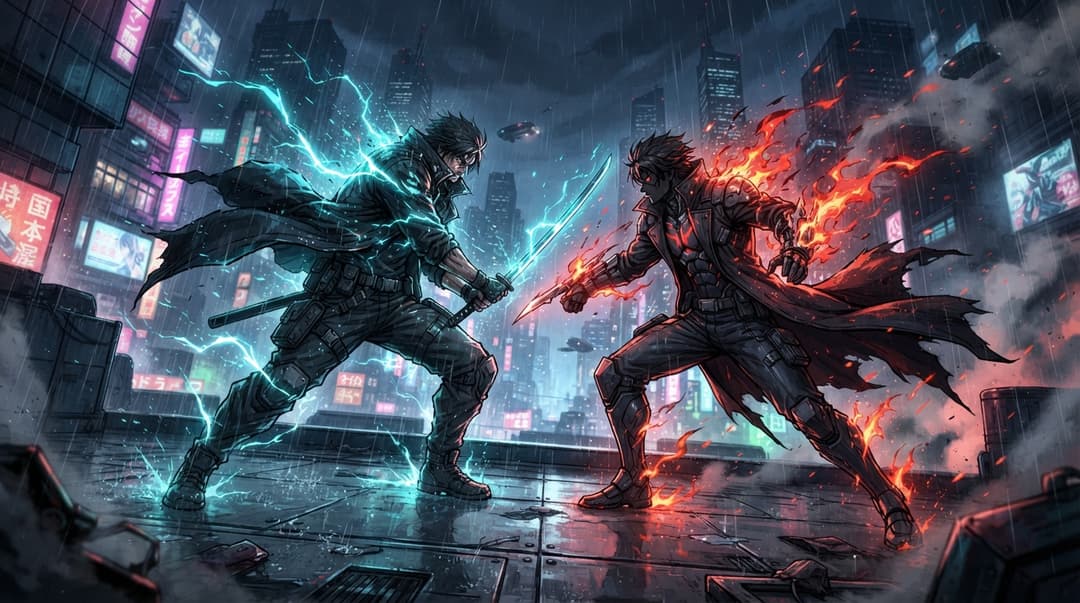
The anime preview establishes a character scene. The fantasy examples below explore color contrast and scale. These are Froging outputs, not NovelAI samples or demonstrations of Vibe Transfer.

Nano Banana 2
The opposing warm and cool areas are the core of this illustration brief. Check whether the creature’s silhouette still reads before adding more effects.
A magnificent phoenix with crystal ice wings and blazing golden fire feathers soaring through dramatic clouds above snowy mountains, cinematic fantasy, volumetric lighting, ultra detailed, no text.

Nano Banana 2
The scale difference carries the idea. Describe the relationship between the astronaut, whale, and horizon explicitly when adapting the prompt.
A lone astronaut standing on a mirror-like ocean at golden sunset while an enormous glowing blue whale flies across the sky, surreal dreamscape, cinematic lighting, volumetric clouds, breathtaking reflections, ultra realistic, no text.
If you want to try image or video creation here, Froging provides its own generators. Here is how the workflows differ.
Swipe the table to compare both tools.
| What matters | NovelAI | Froging AI |
|---|---|---|
| Creative focus | Illustration and character workflows alongside storytelling. | Image creation, reference editing, and separate video tools. |
| Prompt controls | Tags, prose, and model-specific guidance settings. | Written prompts and controls exposed by the selected model. |
| References | Vibe Transfer and image-to-image tools. | Prompt-based editing from an uploaded image. |
| Focused edits | Inpainting workflows. | Describe an edit in the image editor; no NovelAI inpainting integration. |
Product descriptions are based on published information, not a hands-on comparison. Available options depend on the tool, model, and plan.
No. NovelAI supports natural-language descriptions as well as tags. A concise, well-ordered brief is a useful starting point for either approach.
It uses an input image as visual guidance, with controls for reference strength and extracted information. It does not guarantee an exact copy of a character or composition.
NovelAI offers inpainting to work on a selected region. Keep the surrounding composition in mind when describing the desired correction.
No. The embedded generator uses Froging AI’s available image models. NovelAI-specific controls and accounts are not connected here.
Check the generation cost before you start.
Try Froging image generation