Froging AI
首頁

GPT Image 2.5 Flare:快速生圖與修圖

Flare 適合快速比較廣告及社群圖片草稿。固定主體,逐一更改背景或光線,找出可用方向。

所需點數會依模型與設定而改變。

作品範例

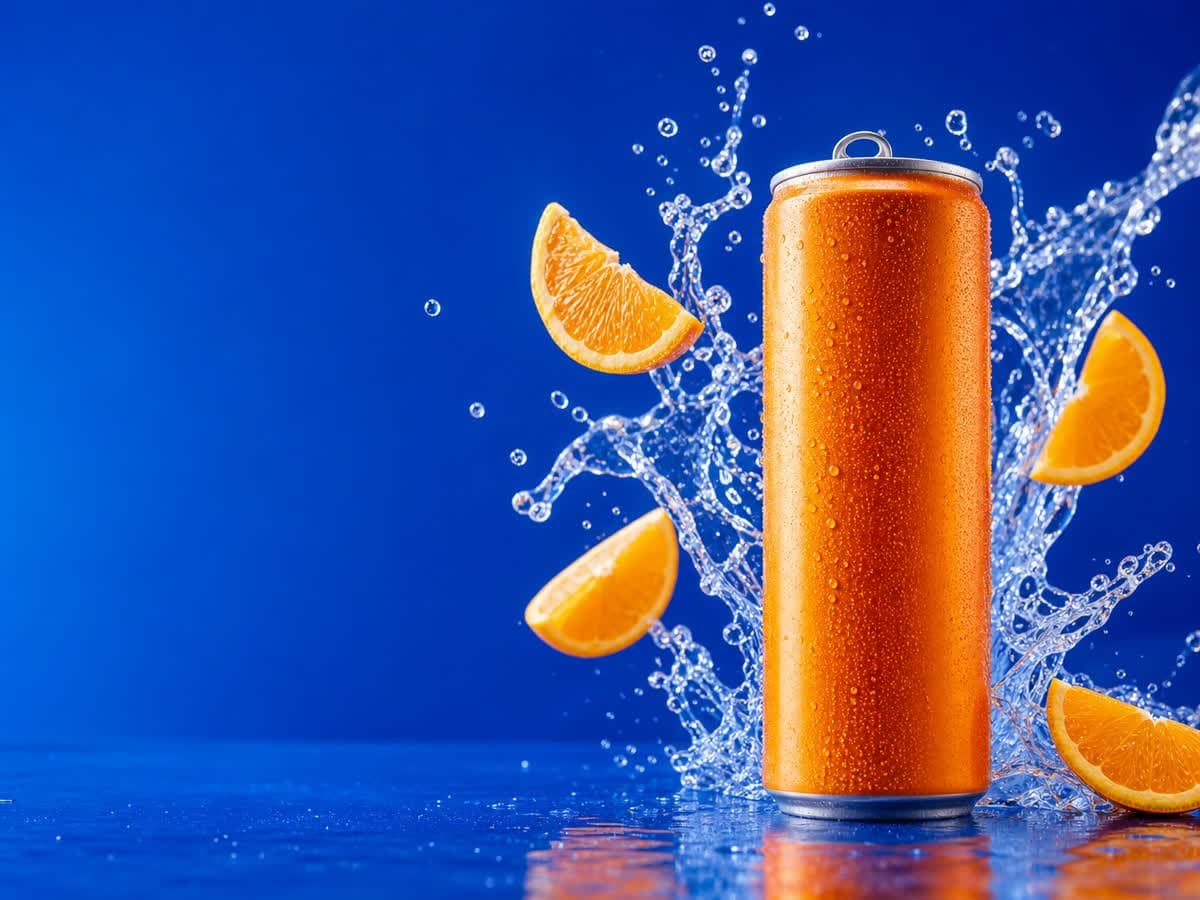
飲料罐置於右側,左側藍色留白可放廣告文案,橙片、凝結水珠與水花共同傳達清新感。

GPT Image 2.5 Flare

為廣告標題預留空間的汽水畫面

飲料罐置於右側,左側藍色留白可放廣告文案,橙片、凝結水珠與水花共同傳達清新感。

閱讀原始提示詞

High-end citrus soda campaign photograph, a single unbranded brushed-aluminum slim can with a vivid tangerine orange body on the right third of a wide frame, floating orange slices and a dramatic clear sparkling water splash curling behind the can, a few suspended droplets, rich electric cobalt-blue seamless background and glossy blue surface, crisp hard studio lighting, premium realistic condensation, silver pull tab and precise cylindrical shape, left third mostly clean blue negative space for later ad typography, sharp commercial product photography, highly legible composition, no writing, no letters, no logos, no watermark. Landscape 4:3 composition.
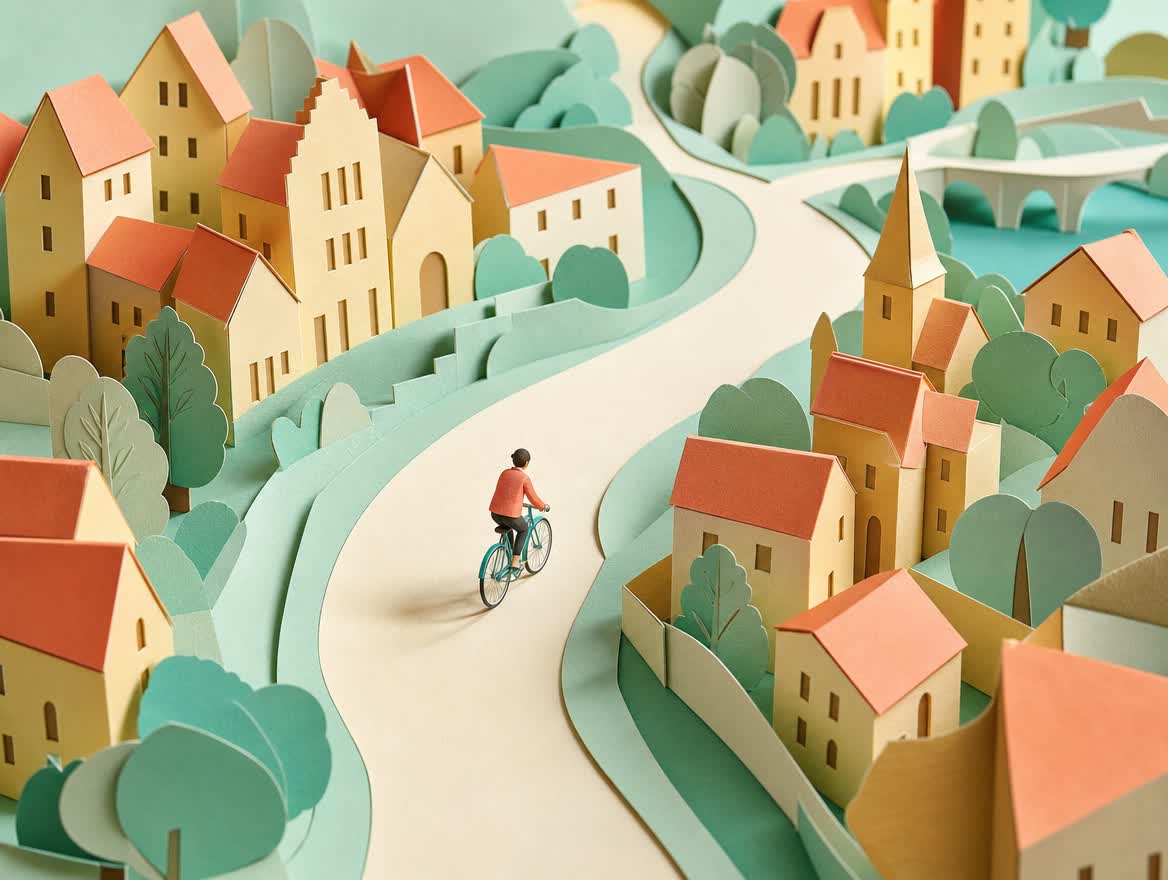
層疊紙張、精簡粉彩配色與彎曲小徑形成一致風格,指定材質及視角可延續整組作品的視覺方向。

GPT Image 2.5 Flare

層疊紙藝的粉彩風景

層疊紙張、精簡粉彩配色與彎曲小徑形成一致風格,指定材質及視角可延續整組作品的視覺方向。

閱讀原始提示詞

Editorial paper-cut illustration for an urban cycling campaign. A single small rider in a coral jacket on a simple teal bicycle follows a broad curving cream path through a miniature city of folded pastel paper houses, apricot rooftops, mint trees and butter-yellow walls. Three-quarter overhead view, tactile layered cardstock with visible cut edges and soft cast shadows, restrained coral mint cream palette, warm diffuse morning light, playful confident art direction, sweeping diagonal composition, no brands, no signage, no text, no watermark. Landscape 4:3 composition, coherent bicycle silhouette, rider small enough to read as a graphic shape, handmade paper world rather than photorealism.

用 Flare 快速探索視覺方向

OpenAI 將 Flare 定位為重視速度的日常圖片生成與編修模型。它能接受文字或圖片輸入,適合在商品廣告、社群貼文尚未定案時比較不同方向,不只用於從零生成。

固定商品,逐一比較背景與光線

先固定瓶身顏色與形狀,比較純色攝影棚和廚房背景,再試暖色窗光與冷色棚燈。與其只寫高級感,不如指定光源、兩三種顏色,以及標題需要的留白。

一次只修改一項指示

構圖合適時先只改背景,不要整段提示詞重寫。速度較快仍可能需要多次嘗試;確認形狀與文字並保存圖片及提示詞。若重點是細節保留,可再評估生成時間較長的 Sunburst。

常見問題

Flare 適合快速比較廣告及社群圖片草稿。固定主體,逐一更改背景或光線,找出可用方向。

Flare 適合什麼工作?

日常生成與編修,例如廣告提案、社群圖片,以及背景和光線的變化。先決定構圖,再比較配色和場景,較容易選出方向。

Flare 也能編修照片嗎?

可以。OpenAI 說明其支援文字與圖片輸入,並非只能生成新圖;編修時也要說明希望保留的主體。

Flare 和 Sunburst 怎麼選?

快速試稿可選 Flare;願意等待、更重視細緻修改時可考慮 Sunburst。兩者都能生成與編修,文字和形狀是否正確仍需驗收。

相關內容