Froging AI
首頁

AI 圖片編輯:用提示詞換背景、服裝與材質

上傳照片並描述修改需求,可更換背景、服裝、色彩或風格,同時對照原圖檢查保留的細節。

所需點數會依模型與設定而改變。

作品範例

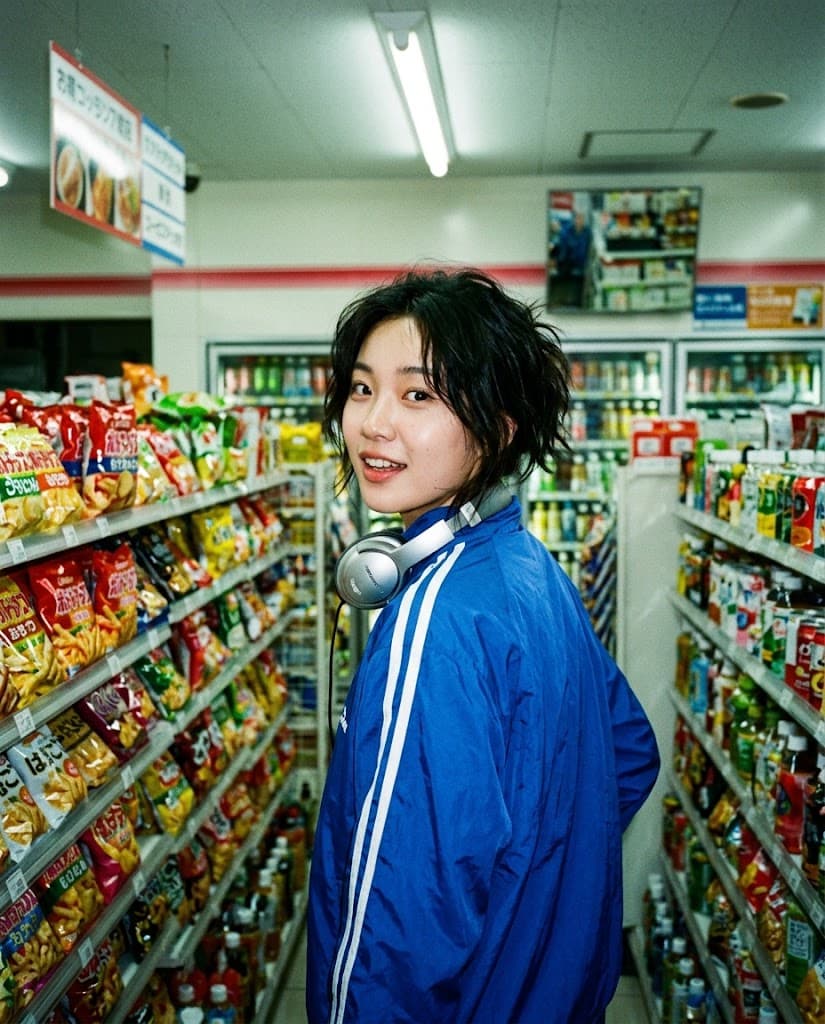
原圖: 藍色運動外套換成競速黃原圖
保留人物樣貌與 CCD 隨拍感,將藍色運動外套改為黃色賽車風格。生成結果

Nano Banana 2 Lite

藍色運動外套換成競速黃

保留人物樣貌與 CCD 隨拍感,將藍色運動外套改為黃色賽車風格。

閱讀原始提示詞

Change only the cobalt track jacket to a butter-yellow vintage racing jacket with narrow navy piping. Preserve the exact same person, face, hair, headphones, expression, pose, hands, convenience-store background, direct-flash lighting, camera angle, crop, compact-camera texture, and every other detail.
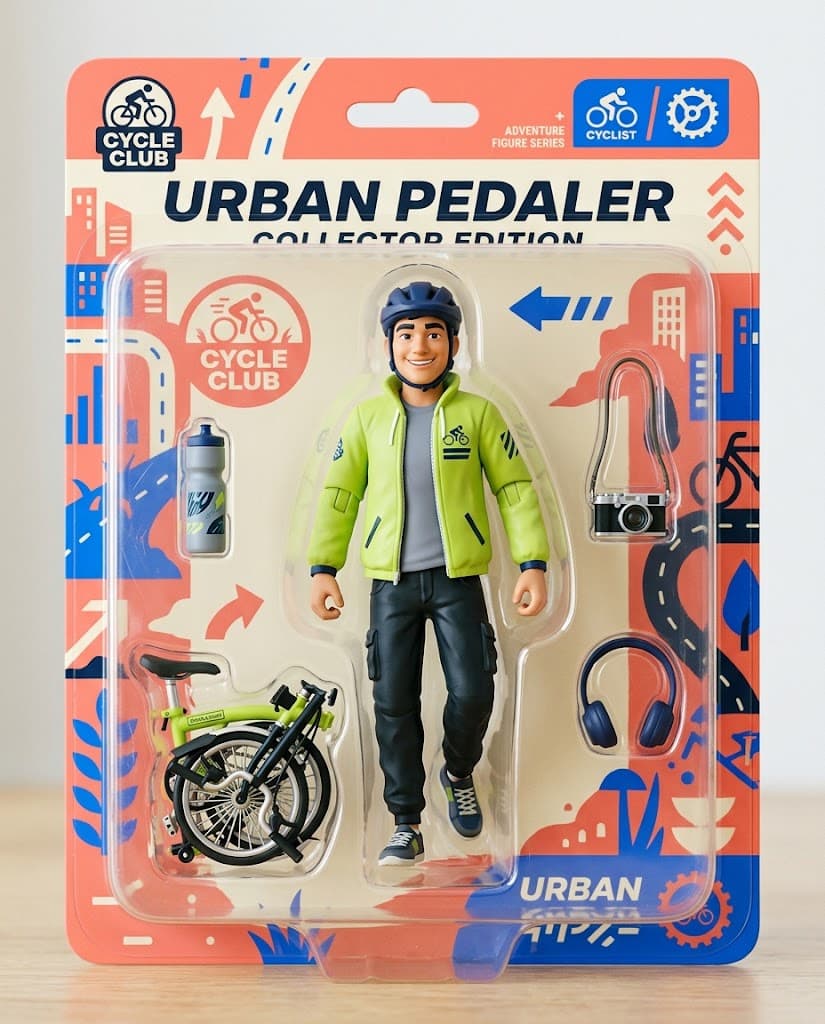
原圖: 公仔包裝改成復古街機風原圖
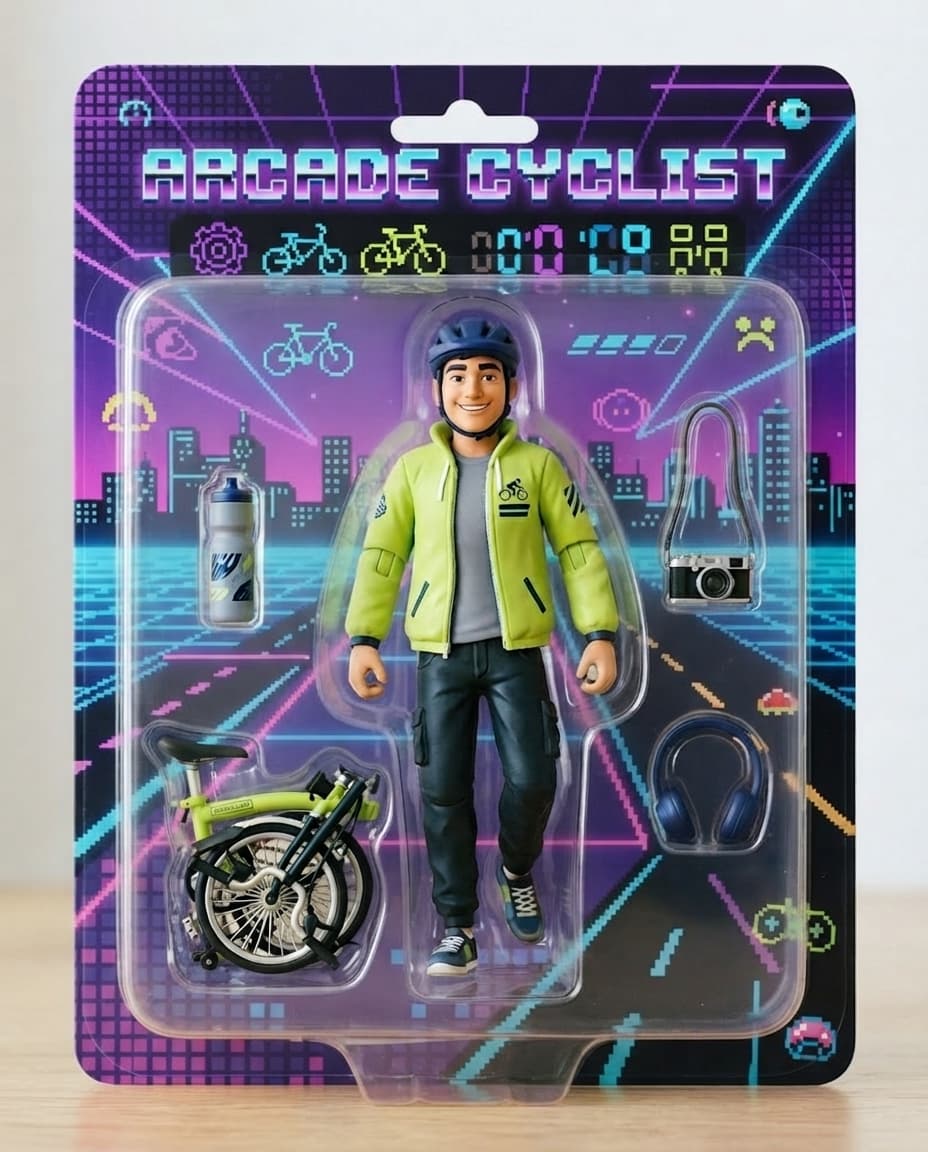
保留公仔與每件配件,重新設計復古街機風格的包裝背卡。生成結果

Nano Banana 2 Lite

公仔包裝改成復古街機風

保留公仔與每件配件,重新設計復古街機風格的包裝背卡。

閱讀原始提示詞

Redesign only the backing card and graphic packaging as an energetic 1980s arcade theme using purple, cyan, black, pixel motifs and geometric grids. Keep the exact same cyclist figure, face, body, pose, lime jacket, helmet, bicycle, camera, bottle, headphones, clear plastic blister shape, front-facing composition, and lighting unchanged. Use fictional decorative symbols only, no readable words.

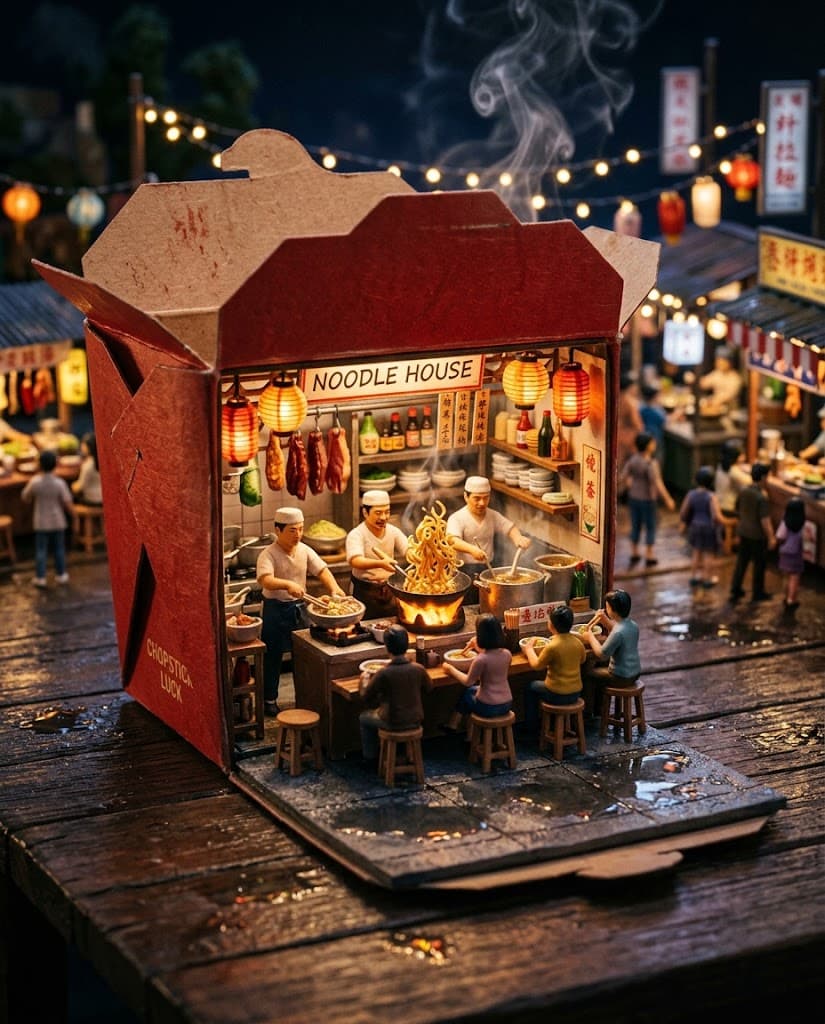
原圖: 微縮夜市變成冬日景色原圖
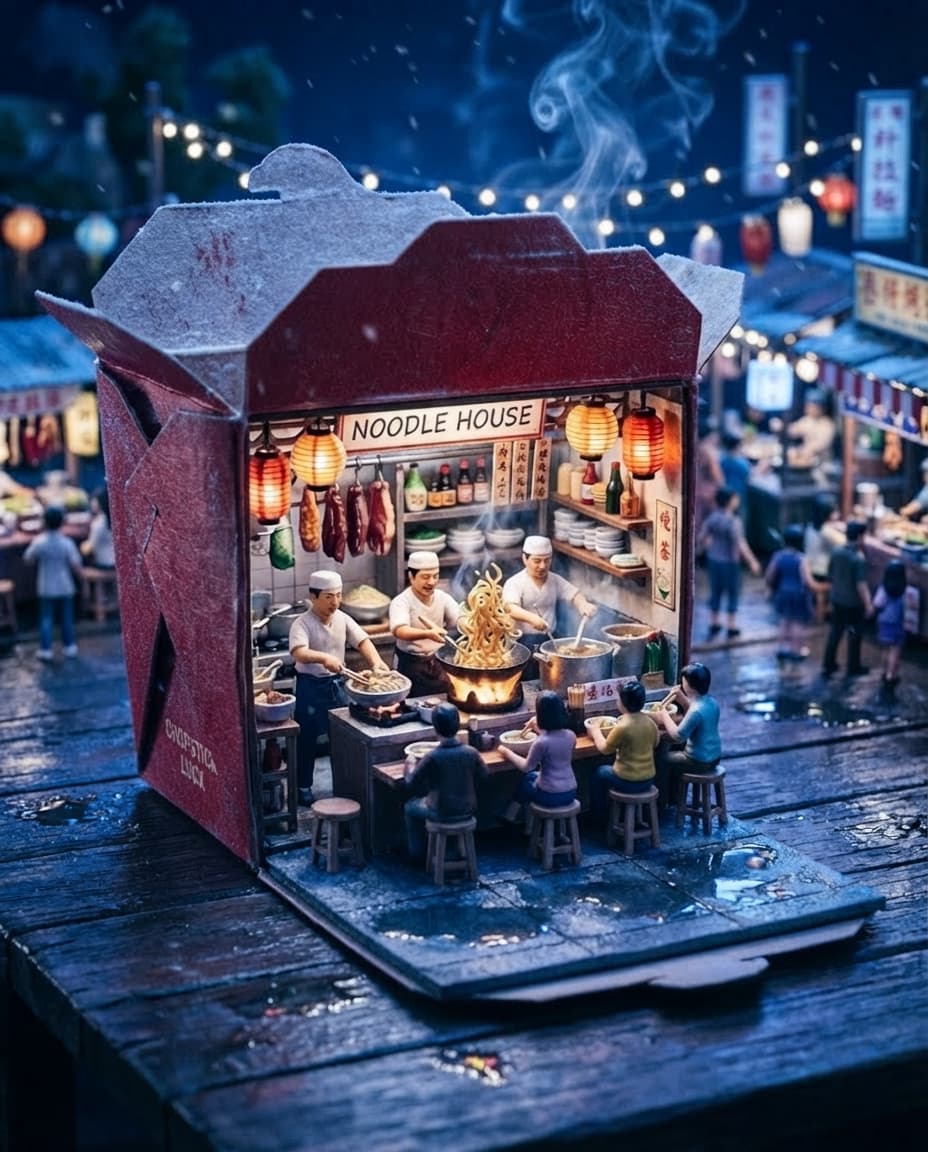
不重新搭建微縮場景,透過天候與色溫變化營造冬季氣氛。生成結果

Nano Banana 2 Lite

微縮夜市變成冬日景色

不重新搭建微縮場景,透過天候與色溫變化營造冬季氣氛。

閱讀原始提示詞

Transform only the weather and season into a cozy snowy winter night: delicate snow on the takeout-box roof and pavement, a few falling flakes, cooler blue ambient light outside, and warmer lantern glow inside. Preserve the exact red box, miniature noodle stall, chefs, diners, food, camera angle, scale, layout, and macro depth of field.

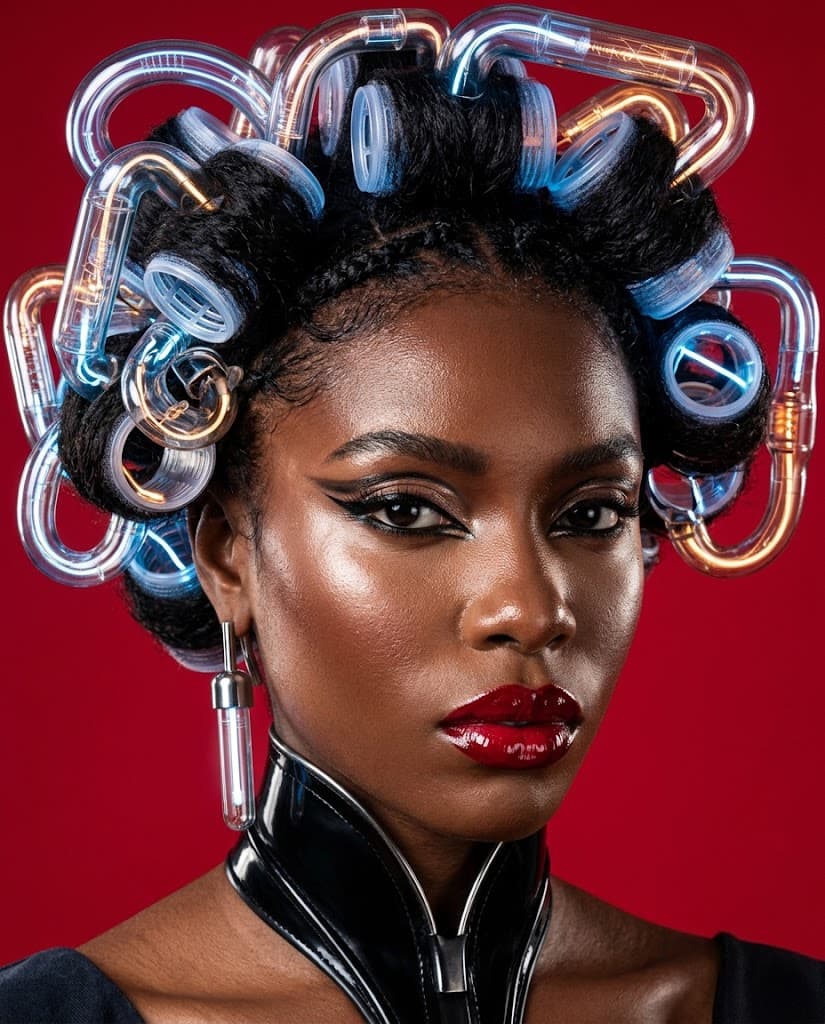
原圖: 紅色美妝廣告轉為流動銀色原圖
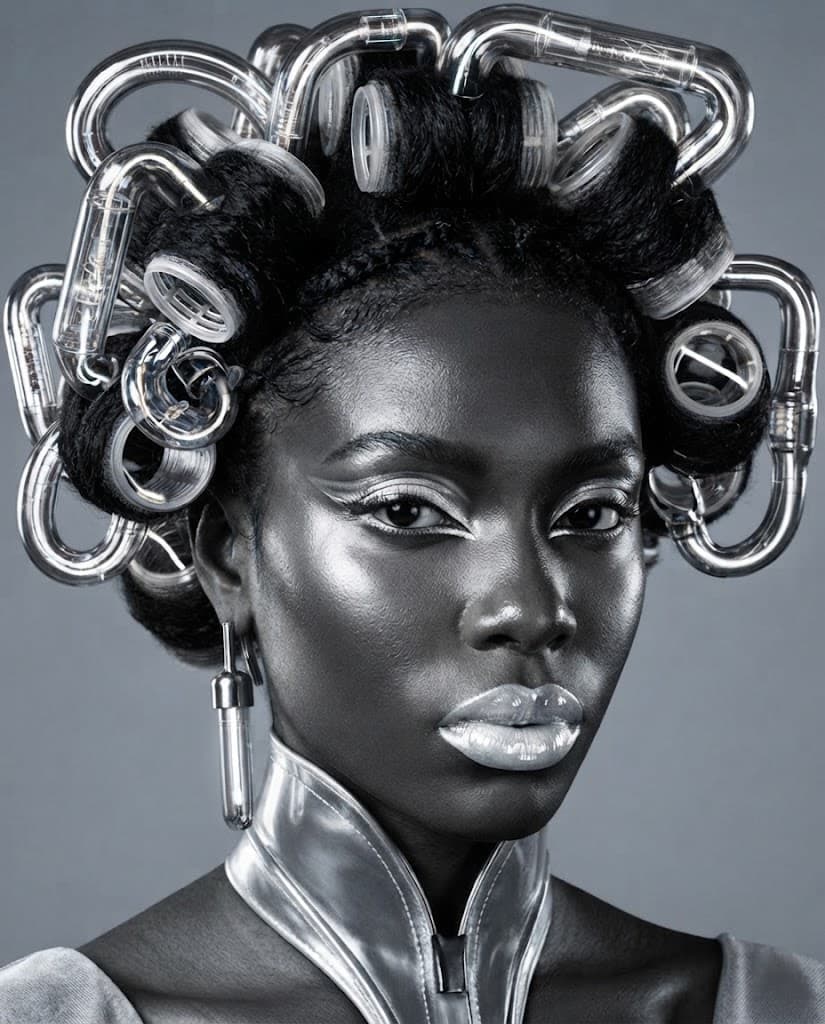
保留模特兒與構圖,將整體材質與配色轉換成流動般的銀色。生成結果

Nano Banana 2 Lite

紅色美妝廣告轉為流動銀色

保留模特兒與構圖,將整體材質與配色轉換成流動般的銀色。

閱讀原始提示詞

Restyle only the color palette and materials into a monochrome liquid-silver editorial: reflective chrome tubes, silver eye makeup, cool gray seamless background, and crisp white highlights. Preserve the exact same model identity, facial features, skin texture, gaze, pose, hair arrangement, roller geometry, crop, and high-fashion composition.

寫清楚要改什麼、保留什麼

例如「背景改成明亮廚房,保留瓶身形狀、標籤及拍攝角度」。把修改與限制分開說明;要求全新視角又完全保留原有輪廓,容易產生矛盾。

局部修改也要與全圖協調

換裝後要看手部與髮絲邊界,替換產品後要看陰影與反射。保留可用版本,若後續修改破壞外形,就回到先前版本小幅調整。

文字編修不等於鎖定像素

這個工具以參考圖和文字進行編修,不能選取像素並完全鎖定。要求保留的區域仍可能改變,請和原圖比較,必要時回到先前版本重新修改。

常見問題

上傳照片並描述修改需求,可更換背景、服裝、色彩或風格,同時對照原圖檢查保留的細節。

如何用提示詞編輯照片?

上傳原圖,描述想更換的背景、服裝或色彩。模型會結合圖片與文字,生成修改後的結果。

所有圖片模型都能修圖嗎?

編輯模式會列出支援圖片輸入的模型。僅支援文字輸入的模型可在 AI 圖片生成使用,但不能編輯既有圖片。

能選取或鎖定特定像素嗎?

此介面無法選取或鎖定個別像素。請用文字說明修改範圍與需保留的細節,並檢查全圖是否有非預期變化。

如何比較原圖與修改結果?

保留上傳原圖,對照預覽中的人臉、邊緣、陰影與反射。本頁範例也將原圖與結果並排呈現,方便檢查。

相關內容